
MathHero: Math Games for Kids
Speedymind LLCEducational
4.6538.00 Reviews
- Version
- 12.3.1
- Installs
- 1.00M
- Age Rating
- Everyone
Screenshots

Our Review of MathHero: Math Games for Kids
 Analysis by Appyee
Choosing a math game for a child is not just about whether it looks cheerful. I also want to know whether a young player can find their way around, whether the pace suits their current skills, and whether the game is practical for the moments when a little extra practice would help. MathHero: Math Games for Kids is an educational game from Speedymind LLC that aims to make number work feel more like play than a worksheet. My overall impression is that its child-friendly presentation is appealing, but parents should still treat it as a supplement to learning rather than a complete teaching plan.
A welcoming first look, with a parent’s role still in the mix
Math games often ask children to move between a story, a challenge, and a reward. That can make practice feel less formal, but it can also make the screen busy. Here, the colorful presentation and friendly guide are intended to make the opening steps approachable. The game asks for a child’s age and skill level during setup, which gives families a useful starting point instead of requiring them to guess where to begin.
I would still stay nearby the first time a child uses it. A child who is comfortable with games may quickly understand the flow, while a younger player may need help with setup or with interpreting what a question is asking. That first shared session is also a good chance to see whether the challenge feels encouraging or too demanding. The game’s adaptive starting point is helpful, but it cannot replace a parent’s judgement about mood, confidence, and what a child is currently learning at school.
That distinction matters because a child can be confident with one operation and still need more support with another. If a level feels too easy, I would use that as a prompt to talk through the child’s thinking rather than assuming the game has failed. If it feels hard, a short pause and a return later may be more useful than pushing through simply to reach another reward.
How the learning experience fits different children and routines
I’d use this section to consider how the game’s setup, visual style, and play rhythm might suit children with different preferences, rather than assuming one approach works for everyone. A brief first session can help you notice whether a child can follow the flow comfortably and what kind of support makes practice feel manageable. That practical check also leads into the everyday conditions that can make screen-based learning easier or harder.
Readable enough to invite practice, though not a substitute for checking in
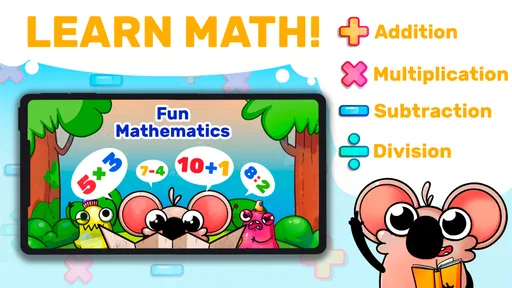
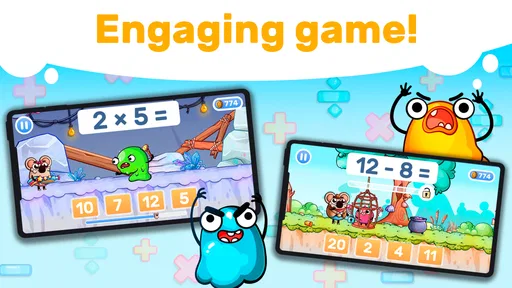
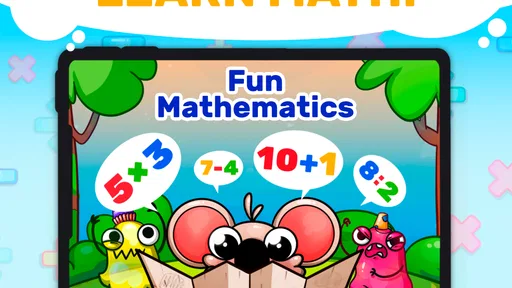
Let’s start with how it looks. The app's design is colorful and engaging, perfect for catching a child's attention. The interface is intuitive, so even if your kiddo is a tech newbie, they’ll navigate through it like a pro. The characters are cute and lively, making math problems feel less like chores and more like an adventure.
Upon launching, you’re greeted with a friendly character who guides you through the setup. This guide helps tailor the experience to the child's age and skill level, ensuring the math challenges are just right—not too easy, not too hard. This personal touch is a game-changer, keeping frustration at bay and motivation high.
In practical terms, I would use that guided setup as a first filter, not a promise that every activity will land at the perfect level. Children develop unevenly, and a setting that feels suitable today may need revisiting as confidence changes. An adult can make the experience more useful by asking the child to explain how they reached an answer, rather than focusing only on getting through a sequence of questions.
Math topics, rewards, and the trade-off between fun and focus
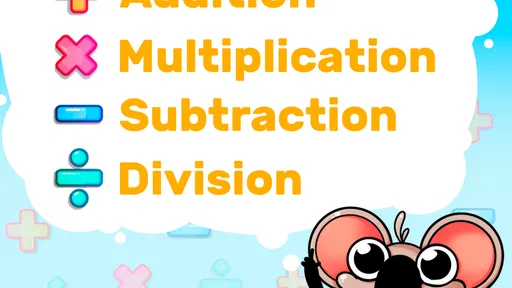
The heart of MathHero: Math Games for Kids lies in its educational prowess. It covers a wide range of topics such as addition, subtraction, multiplication, and division. But it doesn’t stop there. Geometry and fractions sneak in as kids level up, making sure the learning curve is appropriately challenging.
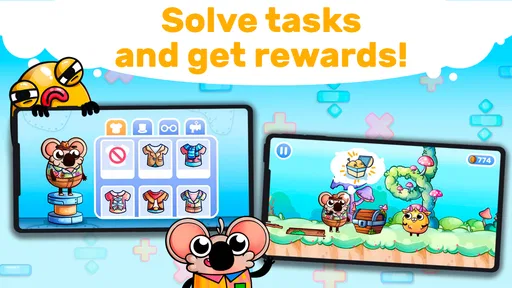
What sets this app apart is its gamified approach. Kids earn points and rewards as they progress, and let me tell you, the excitement of earning virtual trophies is real! There's also an element of role-playing, where kids can customise their avatars and unlock new features as they improve their math skills.
Rewards can help a child return to practice, but they are not the same as understanding. I would occasionally ask a player to explain an answer in their own words, especially after a quick streak of correct responses. That small pause helps reveal whether the child is recalling a fact, using a strategy, or simply tapping quickly. It also gives parents a natural way to connect game time with classroom learning without turning every session into a test.
Because the topics extend beyond basic arithmetic as a child advances, this can suit families looking for a game that may remain relevant after early number practice. It is less suitable if you need a narrowly targeted lesson on one specific skill for a class assignment. In that situation, a teacher’s worksheet or a focused practice tool may offer clearer control over exactly what gets repeated.
Levels and stories: a useful change of scene, not a learning guarantee
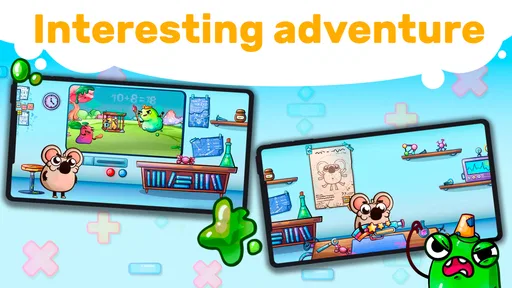
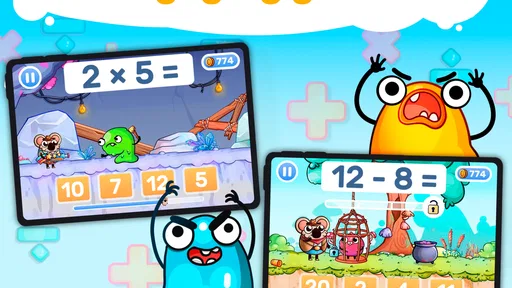
The app is divided into different worlds or levels, each with its own theme and challenges. This keeps things fresh and prevents boredom from setting in. One moment, your kid might be a pirate solving math problems to find treasure, and the next, they’re a space explorer crunching numbers to navigate the stars. It’s imaginative and keeps their minds active.
The interactive nature of the app means kids aren’t just passively tapping away. They’re actively engaging with the content, which reinforces learning. The app also provides instant feedback, helping kids understand mistakes and learn from them without feeling discouraged.
For a realistic routine, I can see this fitting into a brief after-school window: a child finishes a snack, spends a little time practising, and then tells a parent which problem was tricky. The themed progression gives that session a sense of purpose, while an adult can keep it from becoming an open-ended screen habit. I would agree on a stopping point before play begins, rather than relying on a child to stop in the middle of a level when they are excited to see what comes next.
There is a trade-off in story-led practice. A child who enjoys imaginative settings may be more willing to try a few problems, but another child may care only about direct drills and find the extra game framing distracting. If the goal is a quiet, predictable set of repeated facts, a plain flashcard routine can be faster. If the goal is to make practice feel less like a worksheet, the themed structure has a stronger case.
What parents can observe and how to share the device
As a parent, I appreciated the app’s robust parental controls. You can set time limits to ensure your child isn’t glued to the screen for too long. Plus, the progress tracking feature is a huge plus. It gives you insights into what areas your kid is excelling at and where they might need a little extra help. It’s like having a mini report card right at your fingertips.
The app also allows for multiple profiles, which is perfect if you have more than one child. Each child can have their own unique journey, tailored to their individual learning needs. It’s a thoughtful touch that recognizes every child learns differently.
For siblings, separate profiles are more than a convenience: they help avoid confusing one child’s progress with another’s. I would have each child use their own profile consistently, then review progress with them rather than treating the tracking as a scorecard. A record can point to a topic worth practising, but it cannot explain why a child is struggling; fatigue, a new concept, or a rushed session can all affect performance.
The time limit is useful for setting a boundary, but it does not by itself make screen use balanced. I would pair it with a simple routine: decide when the game fits, give the child a clear end point, and leave room for non-screen practice such as talking through sums or using objects at home. That makes the game one option in a learning routine rather than the whole routine.
Motor, sensory, and situational considerations
A child’s ability to use a game comfortably depends on more than reading the questions. Touchscreen play asks for repeated, accurate taps, and the animated, colorful presentation may be engaging for some children while feeling busy to others. I would try a short session before making it part of a daily routine, especially if a child is easily distracted by movement or prefers a calmer screen.
For a child who finds precise tapping difficult, an adult can observe whether the interaction itself is getting in the way of the maths. If the child understands the question but struggles to select an answer, the game may be frustrating even when the learning level is right. In that case, spoken practice, paper activities, or a tool with interaction options known to suit that child may be a better fit. I would not assume that a lively design or a guided setup automatically meets every sensory or motor need.
Situationally, this is best treated as a game for a child who has a little attention to spare, rather than something to hand over during every transition. A short, calm session at home gives a parent room to help with setup and notice reactions. In a noisy waiting room, on a shared device, or when a child is already tired, the same activity may not be as effective. If a family relies on access away from home, it is sensible to check how the game behaves in that setting before depending on it as the only practice option.
On Android, the game is listed for devices running version 7.0 or later. That makes the operating-system requirement worth checking before installing it on an older device. The game is free to download, with optional in-app purchases priced from $0.99 to $59.99 per item, so I would review purchase settings with a child before handing over the device. The age rating is Everyone, but that describes the content rating; it does not tell a parent whether the learning style or screen experience suits a particular child.
Where MathHero sits among other ways to practise
Compared with ordinary flashcards, this game offers a stronger sense of progression, characters, and rewards; flashcards, in turn, are simpler and easier to focus on when a child needs repetition without a story. Compared with a printed workbook, the game can make starting feel more inviting and offers immediate feedback, while paper makes it easier for an adult to see a child’s working and discuss each step. I would choose based on the child’s purpose and temperament, not assume that one format should replace the others.
It is also different from a parent or tutor working through a problem face to face. A game can make independent practice more appealing, but an adult can respond to a misunderstanding in the moment and change the explanation. A useful compromise is to let the child play for practice, then follow up with one or two questions about what they learned. That takes little preparation and can reveal whether the reward loop is supporting real recall or simply keeping the child moving.
For families deciding whether the cost is manageable, the free download provides a way to try the basic experience, while purchases inside the game mean it is worth checking what is offered before approving any transaction. I would set expectations with a child in advance: access to the game does not mean every optional purchase is included. That conversation can prevent an enjoyable practice session from turning into a negotiation at the point of purchase.
Who is likely to enjoy it, and who may want another approach
All in all, MathHero: Math Games for Kids is a fantastic tool for making math less daunting and more delightful. It’s educational, entertaining, and designed with both kids and parents in mind. If you’re looking for a way to boost your child’s math skills while keeping them engaged, this app is definitely worth a download.
I would recommend it most readily to families whose children respond well to characters, themed levels, and small rewards, and who want a game-based way to revisit several areas of maths. It can also suit a household with siblings who need separate progress paths. I would be more cautious if a child finds animated screens overstimulating, needs highly specific instruction, or becomes upset by mistakes and game progression. In those cases, a quieter practice method or adult-guided work may be a kinder starting point.
Its public reception suggests that many families have found value in it: it has a 4.6 average from around 42 thousand ratings and over a million installs. Those figures are reassuring context, not a guarantee that every child will enjoy the same format. I would use a first session to judge the fit for your own child, paying attention not only to whether they finish activities but also to whether they feel capable and willing to return.
So, if you’re ready to transform your child’s math journey from drab to fab, give MathHero a try. It might just be the hero your kid needs to conquer those numbers with confidence!
Verdict
Strengths of MathHero: Math Games for Kids
- Engaging and colorful interface.
- Adaptive difficulty levels.
- Promotes logical thinking.
- Offline play available.
- No in-app purchases.
Limitations of MathHero: Math Games for Kids
- Limited language options.
- Repetitive sound effects.
- Ads can be distracting.
- Single-player mode only.
- Requires frequent updates.
Other Releases by Speedymind LLC
View All
Multiplication Games For Kids.
Educational4.6
Similar Picks in This Category
View All
Little Panda Policeman
BabyBus4.0

Monster Trucks Game for Kids 2
Raz Games4.1

Little Panda's Chinese Recipes
BabyBus4.4

Little Panda's Restaurant
BabyBus4.4

Little Panda's Ice Cream Games
BabyBus4.3

Baby Panda Care
BabyBus3.8
Frequently Asked Questions
What age group is MathHero: Math Games for Kids suitable for?
MathHero: Math Games for Kids is designed primarily for children aged 5 to 12. The app offers a range of difficulty levels that adjust to match the child's learning pace, ensuring it remains both challenging and enjoyable for different ages within that range.
Does MathHero require an internet connection to play?
MathHero can be used offline, allowing children to continue learning and playing without an internet connection. However, some features, like progress tracking and updates, may require a connection to function optimally. This makes it convenient for use on-the-go.
Is there a cost associated with downloading MathHero?
MathHero is free to download and offers a variety of features at no cost. However, there are in-app purchases available for additional content and features. These are optional and designed to enhance the learning experience, but the core gameplay remains accessible without them.
How does MathHero help improve math skills for children?
MathHero uses engaging games and interactive challenges to reinforce math skills in a fun way. It covers a broad range of topics, such as addition, subtraction, multiplication, and division, tailored to suit different learning stages. This approach helps children grasp concepts through practice and play.
Are there any safety or privacy concerns with using MathHero?
MathHero prioritizes child safety and privacy. The app complies with relevant privacy regulations by not collecting unnecessary personal data. Parental controls and settings are available, allowing parents to manage in-app purchases and monitor their child's progress securely.
Play our best games!


